




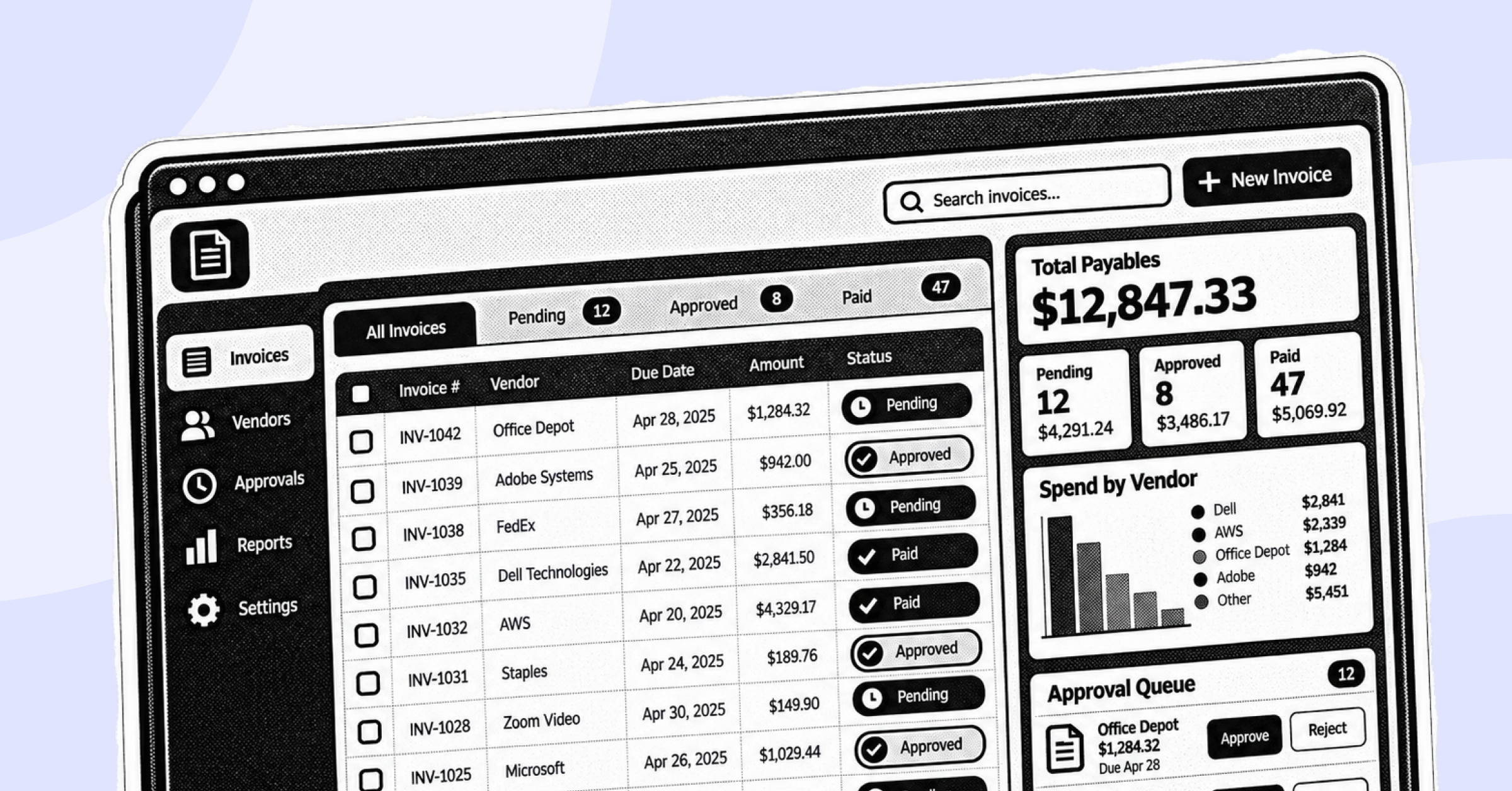
If you're still routing invoices through email and spreadsheets, you already know where this breaks down: lost approvals, duplicate payments, and a close cycle that drags because nobody can find the paper trail. Manual invoice keying still affects the majority of AP departments today, according to IOFM's Accounts Payable Benchmarking data, and accounts payable automation is now the second most common AI use case finance teams have in production, per Gartner's 2025 CFO AI adoption survey.
Accounts payable software fixes that by automating invoice capture, approval routing, and vendor payments in one system. This guide ranks the eight AP platforms worth shortlisting in 2026, based on official product capabilities, verified G2 and Capterra ratings, and company-size fit, so you can match the tool to your actual workflow instead of a generic "best of" list.
Who Needs What: ICP and Pain Point Snapshot
What Is Accounts Payable Software?
Accounts payable software automates the invoice-to-payment cycle: capturing invoices, routing them for approval, matching them against purchase orders, and executing vendor payments. It replaces manual data entry and email-based approvals with a structured, auditable workflow tied to your ERP or accounting system.
How We Ranked These Accounts Payable Platforms
We spent over 20 hours researching this list, evaluating each vendor's official website for feature depth and cross-referencing verified reviews on G2, Capterra, and Gartner Peer Insights against typical accounts payable buying criteria.
We weighted the following factors:
- AI and automation maturity - how much of invoice capture, coding, and matching happens without manual intervention
- ERP integration breadth - native connections to systems like SAP S/4HANA, Oracle NetSuite, Sage Intacct, and QuickBooks
- Verified user sentiment - G2, Capterra, and Gartner Peer Insights ratings, weighted against review volume and category tenure, not star rating alone
- Company-size fit - whether the platform is built for small business, middle market, or enterprise AP volume
- Reconciliation and matching accuracy - how reliably the tool handles two-way and three-way matching without manual correction
Side-by-Side Comparison: 8 Best Account Payable Software for 2026*
In depth Reviews of the Best Account Payable Automation Software
1. BILL
Best For
Small businesses and accounting firms that need combined accounts payable and receivable automation without a dedicated finance ops team.
Overview
BILL is a financial operations platform that provides intelligent accounts payable and accounts receivable automation for small and midsize businesses. It centralizes invoice processing, approvals, and payments while offering tools for expense management, helping finance teams reduce payment cycle time and improve vendor relationships. BILL AP/AR belongs to a broad user base that includes business owners, accounting firms, and controllers managing day-to-day payables.
Key Features
- Electronic invoice capture: Automated data extraction from emailed or uploaded invoices, reducing manual entry
- Customizable approval workflows: Multi-step routing based on amount, department, or vendor
- Multi-method payments: ACH, wire transfer, and check processing from a single dashboard
- Corporate card integration: BILL Spend & Expense offers credit lines from $500 to $5M with real-time spend controls
- Two-way accounting sync: Native integration with QuickBooks, Xero, and NetSuite
- International payments: Multi-currency support for global vendors
Pros
- Fast, simple setup requiring minimal training: "Its user friendly, easy to integrate with other tools, multi-currency support, multiple payment options."
- Consolidates AP/AR into one workflow: "BILL streamlines our AP and AR processes by automating invoice capture, approvals, and payments. It reduces manual work, improves visibility into cash flow."
- Strong QuickBooks and Sage Intacct integration: "It's very user-friendly and integrates great with Sage Intacct, Expensify, and TravelPerk."
Source: G2
Cons
- Interface can feel unclear for new users: "The interface continues to be a huge challenge for me... I do not feel that it's really clear what it's doing or how it's set up."
- Sync issues with accounting software: "The sync between BILL and QuickBooks Online sometimes has issues, which can be frustrating at times."
- Reporting customization is limited: "It can be upgraded to the next level, the home screen can be updated with reporting options and need some customization of reports."
Source: G2
Pricing
BILL's AP plans start at approximately $45/user/month (Essentials), scaling to $55/user/month (Team) and $79/user/month (Corporate), with custom Enterprise pricing. Per-transaction fees apply to checks, ACH, instant transfers, and international payments regardless of plan (according to Vendr and Tekpon pricing breakdowns, https://www.vendr.com/marketplace/bill-com).
2. Stampli
Best For
Growing SMBs and mid-market finance teams that need collaboration-heavy approval workflows across multiple departments and approvers.
Overview
Stampli delivers accounts payable automation spanning procurement, vendor management, payments, and the Stampli Card, with Stampli AI embedded directly into ERP-integrated workflows. Stampli AI performs an average of 87% of finance work across 2,700+ unique fields, with every suggested entry subject to human review before posting to the ERP. Founded in 2015, Stampli serves 1,800+ customers processing more than 400,000 invoices per week.
Key Features
- Billy AI invoice coding: Learns coding patterns per user and pre-fills GL codes, vendors, and approvers
- Invoice-centric collaboration: Built-in communication layer lets AP teams, approvers, and vendors discuss an invoice directly on it
- Duplicate payment detection: Automated flagging before payment execution
- Vendor self-service email: Vendors send invoices directly into Stampli without a portal login
- ERP integrations: Native connections to Sage Intacct, NetSuite, QuickBooks, and SAP
- Stampli Card: Corporate card issuance tied to the same approval workflow as invoices
Pros
- Fast, intuitive invoice review even for non-finance approvers: "The process for approving invoices is very clear and easy to do. With the fact that the actual invoice is attached allows me to review it for accuracy."
- AI coding saves significant time: "Billy the bot learns how I like to code my invoices and remembers for the next time... I typically only have to quickly review the invoices before sending them to their respective approver."
- Strong ERP sync: "Invoices show up in Sage almost instantly after they are exported."
Source: G2
Cons
- Batch editing across invoices is limited: users report difficulty managing edited vendor names and bulk changes across multiple invoices at once.
- Occasional slowness during data entry: "I have noticed that Stampli has been very slow lately. I will finish typing in a date and it take a good second for Stampli to catch up."
- Limited scope outside AP: if you need full procure-to-pay, cash management, or working-capital features, Stampli focuses primarily on AP and you may need to layer in additional tools.
Source: G2
Pricing
Stampli does not publish fixed pricing tiers. Quotes are custom, based on invoice volume, integration complexity, and module selection, delivered through a sales consultation (according to Dokka and TrustRadius pricing breakdowns, https://www.trustradius.com/products/stampli/pricing).
3. Bluecopa
Best For
Mid-market to enterprise finance teams running fragmented order-to-cash, procure-to-pay, and record-to-report processes across multiple systems who need one reconciliation layer instead of three disconnected tools.
Overview
Bluecopa is an AI-native finance operations platform built to automate high-volume reconciliations and accelerate financial close. Its Procure-to-Pay module uses SamyxAI autonomous agents to capture and validate invoice data, run three-way matching against purchase orders and goods receipt notes, and build dynamic payment schedules based on vendor terms. Unlike point solutions that handle AP in isolation, Bluecopa ties payables data directly into the same reconciliation engine used for receivables and close, giving finance teams one data layer instead of three.
Key Features
- Samyx Extract: PDF and spreadsheet invoice extraction with page-level and line-level provenance
- Samyx Recon: Processes 5M+ records per hour with 97-99% matching accuracy across invoices, POs, and GRNs
- Samyx Build: Policy-as-code approval gates, thresholds, and segregation-of-duties checks
- Dynamic payment scheduling: Builds payment runs based on vendor terms and due dates to protect cash position
- Unified O2C + P2P + R2R data layer: Payables, receivables, and close reconciliation on one platform
- 200+ integrations: SAP, Oracle NetSuite, Sage Intacct, Zoho Books, QuickBooks, Xero, Snowflake, and more
Pros
- Bluecopa has a growing review base on G2 with strong early sentiment around matching accuracy and reconciliation automation. Independent named-reviewer quotes specific to the AP/P2P category are still limited given the platform's smaller review volume relative to established category leaders; this is disclosed rather than overstated.
Source: G2
Cons
- Bluecopa has a growing review base with no reported negatives specific to the AP/P2P workflow to date.
Pricing
Custom pricing
4. Tipalti
Best For
Mid-market to enterprise companies paying a high volume of international suppliers, freelancers, or partners who need built-in tax compliance.
Overview
Tipalti streamlines the entire payables process by automating vendor onboarding, tax form collection, invoice processing, and payment reconciliation at global scale. It is particularly strong for companies handling cross-border transactions, offering multi-currency support and compliance workflows that reduce the manual burden of managing an international supplier base.
Key Features
- Global payments: Supports payouts in 120+ currencies via multiple payment rails
- Tax compliance automation: 1099 and W-8/W-9 form collection and validation built into vendor onboarding
- PO matching: Two-way and three-way invoice-to-PO matching
- Self-service vendor portal: Suppliers manage their own payment details and tax documents
- Tipalti Card: Cashback on invoice payments made through the card
- Fraud detection: Automated validation checks before payment release
Pros
- ERP integrations save significant time: "ERP integrations have saved me significant time. I'm in love with this product."
- Strong implementation support: "I really appreciated how Tipalti helped during the implementation process by holding our hand and walking us through configuring the program."
- Mobile receipt capture is convenient: "Its very convenient and I save a lot of time with scanning receipts through my phone instead of uploading it on web."
Source: G2
Cons
- Occasional payment delays and server slowness: "At times, the server speed is slow, which can affect efficiency when processing payments or moving between modules."
- Restricted to AP functionality: "Currently restricted to accounts payable functionality only and would prefer if the solution also addressed virtual cards and physical cards."
- Complex for new users: "What I dislike about Tipalti is that it can feel complex and not very intuitive, especially for new users. Some workflows require multiple steps."
Source: G2
Pricing
Tipalti's accounts payable plans start at approximately $99/month for core AP automation with unlimited users, according to Tipalti's official pricing page (https://tipalti.com/pricing/). Higher tiers adding global payments, W-8 handling, and multi-entity support are quoted by sales, with transaction fees applied on top depending on payment method.
5. AvidXchange
Best For
Middle-market businesses in real estate, construction, community association management, and healthcare that need vertical-specific AP workflows.
Overview
Founded in 2000, AvidXchange is a provider of accounts payable automation and payment solutions purpose-built for middle-market businesses and their suppliers. It automates the full AP process from invoice capture and coding through approval routing, payment execution, and reconciliation, integrating with 265+ accounting platforms and ERPs. More than 8,000 businesses use AvidXchange, and the company has processed payments for over 1.5 million suppliers through its proprietary payment network over the past five years.
Key Features
- Invoice capture: Extracts data from paper, email, and electronic invoices automatically
- Two-way and three-way matching: Matches invoices to purchase orders and receipts before payment
- Multi-level approval workflows: Customizable authorization chains by role or entity
- Secure electronic payments: ACH, virtual card, and check disbursement
- Supplier payment network: One of the largest actively engaged B2B payment networks for the mid-market
- Batch processing: Handles high invoice volumes across multiple properties or entities
Pros
- Centralizes invoice review across departments: "Avid provides a centralized place for all our invoices, and means I only need to see things that I actually need to review."
- Reduced headcount needed for AP: "We were able to decrease our AP team from 3 FT to 2 FT employees over the time of the conversion."
- Strong customer support during onboarding: "The customer support has been excellent anytime that I needed their assistance."
Source: G2
Cons
- Supplier network friction: some customers report pressure on suppliers to join the AvidXchange payment network, alongside occasional delayed vendor payments.
- System latency: "There are times that the system might show some latency which can lead to frustration as it is something that we cannot control."
- OCR accuracy issues: "There are times when the incorrect information is picked up by the platform's OCR software... which would be normal with the development of AI and the OCR software."
Source: G2
Pricing
AvidXchange pricing is customized based on company size and invoice volume, with reported costs starting around $440/month and scaling toward $13,000 annually for larger implementations (according to Research.com's AvidXchange review, https://research.com/software/reviews/avidxchange).
6. Airbase
Best For
Mid-market companies that want accounts payable unified with corporate card management and employee expense reimbursement in one platform.
Overview
Airbase is a spend management platform that combines automated accounts payable, a corporate card program, and employee expense reimbursements. It captures invoices via upload or email forwarding, routes them through preset approval chains, and executes payments via ACH, wire, virtual card, or check, giving finance teams complete visibility into every non-payroll dollar spent. Airbase was named a Visionary in the 2025 Gartner Magic Quadrant for Accounts Payable Applications. Note: Airbase was acquired by Paylocity in 2025, which is worth factoring into any long-term platform decision.
Key Features
- Unified AP, card, and expense workflow: One approval chain across all three spend types
- Customizable approvals: Route via Slack, email, or the Airbase app
- Automated accounting: Categorizes, schedules, accrues, and amortizes transactions automatically
- Multi-subsidiary and multi-currency support: Built for companies operating across entities
- Virtual and physical card management: Combined with automated reconciliation
- Audit trails: Automatic documentation for every approval and payment
Pros
- Reduces manual AP work significantly: users report that Airbase's accounts payable automation, spanning invoice processing, approvals, and payments, meaningfully cuts manual effort.
- Intuitive interface for non-finance approvers: the platform is described as user-friendly, with an interface that makes managing expenses straightforward.
- Strong reporting foundation: "Reporting could be more robust however what is currently available is sufficient."
Source: G2
Cons
- Limitations in complex invoice workflows: AP professionals report friction with more advanced, non-standard invoice scenarios.
- Missing reconciliation tooling: "There is a need for a reconciliation tool to ensure all prepaid accounts are cleared and booked."
- Post-acquisition uncertainty: the 2025 Paylocity acquisition has created some uncertainty about long-term roadmap direction for standalone AP buyers.
Source: G2
Pricing
Airbase pricing starts at approximately $99/month, though detailed tiered pricing is not published publicly. according to Findstack's Airbase pricing.
7. Corpay Complete
Best For
Enterprises that want accounts payable operations fully managed rather than run in-house, backed by an established payments company.
Overview
Corpay Complete is fully managed AP that consolidates purchase orders, invoicing, vendor payments, corporate cards, and expense controls into one automated workflow. Corpay (NYSE: CPAY) is a large commercial card issuer helping approximately 800,000 businesses streamline payments across 200+ countries, and Corpay Complete is built to eliminate the need for juggling multiple disconnected AP vendors.
Key Features
- Fully managed AP operations: Purchase orders, invoicing, and payments handled through one workflow
- Corporate card integration: Card spend controls tied to the same approval chain as invoices
- Built-in fraud protection: Enterprise-grade security across the payment lifecycle
- ERP integrations: Native connections to NetSuite, QuickBooks, and Microsoft Dynamics
- Global payments: Cross-border vendor payment support
- Vendor onboarding: Automated supplier enrollment and payment method setup
Pros
- User-friendly interface improves approval speed: users praise the interface for significantly improving the invoice approval process across departments.
- Responsive customer support: users highlight excellent customer support with timely follow-ups and effective issue resolution.
- Time-saving payment automation: users value the automation for streamlining vendor payments and invoice approvals, with seamless ACH transactions.
Source: G2
Cons
- Integration friction with some ERPs: users report integration issues, particularly with QuickBooks and NAV Dynamics.
- Payment processing delays: some users note delays affecting overall AP workflow efficiency.
- Feature gaps around syncing and credit applications: a subset of users flag missing features related to syncing and credit application processes.
Source: G2
Pricing
Custom pricing — contact sales. Corpay does not publish detailed AP pricing tiers; third-party sources indicate a broad range depending on implementation scope, according to SelectHub's Corpay pricing overview.
8. Ramp Bill Pay
Best For
Startups and small businesses already using Ramp corporate cards that want basic bill pay without adding a dedicated AP platform.
Overview
Ramp Bill Pay is part of Ramp's broader finance automation platform, which also includes corporate cards and expense management. It handles invoice capture, approval workflows, vendor management, and payment execution as a standalone AP tool, syncing with ERPs including NetSuite, Sage Intacct, and QuickBooks. Ramp positions Bill Pay as a no-subscription-fee add-on to its card and expense platform rather than a dedicated enterprise AP system.
Key Features
- No subscription fee: Unlimited users with pay-per-transaction pricing instead of per-seat licensing
- Automated invoice capture: AI-assisted data extraction and vendor coding
- Approval workflows: Configurable routing tied to Ramp's broader spend policies
- ERP sync: Connects with 10 ERPs including NetSuite, Sage Intacct, and QuickBooks
- Real-time reporting: Spend visibility across cards and bill pay in one dashboard
- AI-assisted coding: Learns vendor-based coding patterns over time
Pros
- Invoices sync effortlessly with accounting systems: users note that invoices processed through Bill Pay sync smoothly into their accounting platform.
- User-friendly for simple invoice approval: described as a great, efficient system for straightforward invoice approval and payment.
- AI assistant speeds up coding: reviewers note AI features facilitate expense precoding and vendor-based coding.
Source: G2
Cons
- No accounts receivable functionality: the platform covers AP only, with no AR module.
- Not built for high-volume disbursement: "Ramp Bill Pay's automated invoice capture, coding, and real-time ERP sync simplify occasional vendor bill workflows, but it wasn't built as a mass payout API, and high-volume disbursement operations tend to hit its ceiling fast."
- Support and sync complaints: recent reviews cite support responsiveness and QuickBooks Online sync failures as recurring frustrations.
Source: G2
Pricing
Ramp Bill Pay carries no monthly subscription fee. Standard ACH payments cost $0.59 per transaction and standard check payments cost $1.99 per transaction (effective June 2026), with fees waived when paying from a Ramp Business Account, per Ramp's official pricing documentation (https://support.ramp.com/bill-pay-fees).
How to Choose the Right Accounts Payable Software
Match the tool to the pain point that's actually costing you time, not the vendor with the most marketing budget.
- If your invoices are stuck in email and nobody has visibility into approval status, prioritize a collaboration-first tool like Stampli.
- If you're running AP, AR, and month-end close as three disconnected processes, a unified platform like Bluecopa closes the reconciliation gap that point solutions leave open. Bluecopa's Samyx Recon ties payables matching directly into the same engine used for cash application and close.
- If you pay international suppliers or contractors regularly, Tipalti's tax compliance and multi-currency handling will save more time than a domestic-only tool.
- If you're a small business just getting off spreadsheets, BILL offers the fastest path to a working AP/AR workflow.
- If you're already deep in vertical-specific AP volume (real estate, construction, healthcare), AvidXchange's supplier network and batch processing are built for that scale.
From a stakeholder view:
- CFO: cares about DPO impact, cash visibility, and how fast the platform pays for itself in reduced processing cost.
- Controller: cares about matching accuracy, audit trail completeness, and SOX-relevant approval controls.
- AP Manager: cares about daily invoice throughput, exception handling, and how much manual coding the team still has to do.
- IT/Finance Systems Owner: cares about ERP integration depth and how much custom configuration onboarding requires.
Common Mistakes When Choosing Accounts Payable Software
- Picking based on star rating alone, not review volume or category tenure. A 4.8/5 rating on 50 reviews is not the same signal as a 4.4/5 rating on 1,800 reviews. Weigh both.
- Ignoring company-size fit. A tool built for 8,000-invoice-a-month middle-market operations will feel like overkill for a 20-person startup, and vice versa.
- Underestimating ERP integration depth. A "supported integration" that requires manual CSV exports isn't the same as a native two-way sync.
- Not checking whether AP is isolated from AR and close. If reconciliation still happens in a separate spreadsheet after invoices are paid, you've only automated part of the problem.
- Skipping the pricing fine print. Per-transaction fees on ACH, check, and international payments can meaningfully change the total cost versus the advertised subscription price.
- Assuming all "AI-powered" claims mean the same thing. Ask specifically what percentage of invoice coding happens without human review, and what the vendor's matching accuracy rate actually is.
Why Bluecopa Is the Right Choice for Unified AP and Close
Most of the platforms on this list solve accounts payable in isolation. That works fine if AP is your only fragmented process. It doesn't work if your finance team is also reconciling receivables by hand and closing the books three weeks late because none of the systems talk to each other.
Bluecopa's Procure-to-Pay platform automates invoice capture, three-way matching, and payment scheduling the same way the AP-only tools above do, but it ties that data directly into the same AI-native layer used for order-to-cash and record-to-report. That means a mid-market or enterprise finance team gets 97-99% reconciliation accuracy on vendor and GRN matching, dynamic payment schedules that protect cash position, and a close cycle that isn't waiting on a separate AP reconciliation step. Customers like Yatra have seen reconciliation run 7x faster and month-end close finish 90% faster after unifying these processes on one platform.
If your team is choosing between three point solutions for AP, AR, and close, or one platform that handles all three, that's the decision Bluecopa is built to win. Explore how the full platform fits alongside your existing ERP before defaulting to another single-purpose AP tool.
Bottom Line
If you're a small business wanting AP and AR in one tool, choose BILL. If your approval process is scattered across departments and email, choose Stampli. If you're mid-market to enterprise and tired of reconciling AP, AR, and close separately, choose Bluecopa. If you pay international suppliers regularly, choose Tipalti. If you're a vertical-specific middle-market business with high invoice volume, choose AvidXchange. If you want AP, cards, and expense unified in one workflow, choose Airbase. If you want AP operations fully outsourced, choose Corpay Complete. And if you're a startup already on Ramp cards needing basic bill pay, choose Ramp Bill Pay.
Frequently Asked Questions
1. What is the best accounts payable software for small businesses?
BILL is the most widely adopted choice for small businesses, combining AP and AR automation with QuickBooks and Xero integration in one platform.
2. How much does accounts payable software cost?
Pricing ranges from per-transaction fees (Ramp) to $45-99/user/month subscriptions (BILL, Tipalti), with enterprise platforms like Bluecopa and Corpay Complete quoting custom pricing.
3. Does accounts payable software integrate with QuickBooks and NetSuite?
Yes. Most platforms on this list, including BILL, Stampli, and Bluecopa, offer native two-way sync with QuickBooks, Oracle NetSuite, and Sage Intacct.
4. What's the difference between AP automation and full procure-to-pay software?
AP automation covers invoice-to-payment; procure-to-pay adds purchase orders and requisitions; platforms like Bluecopa extend further into reconciliation and close via Record-to-Report (R2R).
5. Can accounts payable software reduce Days Payable Outstanding (DPO)?
Yes. Automated approval routing and dynamic payment scheduling help finance teams optimize DPO instead of paying reactively based on when an invoice happens to get noticed.
6. Is AI-native accounts payable software different from AI-powered tools?
Yes. AI-native platforms like Bluecopa build matching and reconciliation around AI from the ground up, versus tools that add AI features on top of legacy invoice workflows.
Editorial Note
Last Reviewed: August 2026
Vendor capabilities, pricing, and customer ratings change over time. Confirm current features, pricing, and integrations directly with the vendor before making a decision.

Book a demo
See Bluecopa run on your own close
70%
Faster month-end close
95%
Reduction in manual effort
30 min · your ERP · no slide deck
Benchmark
How your close compares
Spreadsheet-run close
11 days
Point tools
7 days
Bluecopa
4 days
Calculate your close time
30 min · your ERP · no slide deck
_%20The%20Complete%20Process%20Guide.png)
