Key Takeaways
- Vendor reconciliation breaks down at scale because manual matching, inconsistent statement formats, and unclear ownership create backlogs that grow faster than headcount.
- A repeatable six-step vendor reconciliation process, from statement collection through cadence setting, closes the gap between what the ledger shows and what vendors actually claim.
- Most vendor reconciliation discrepancies fall into five recurring categories: duplicate invoices, timing differences, missing credits or rebates, pricing variances, and unapplied payments.
- A formal exception management workflow (assignment, aging thresholds, escalation, audit trail) is what turns a one-time cleanup into a sustainable control.
- Tracking cycle time, percentage auto-matched, exception aging, and dispute resolution time gives finance leaders a measurable view of whether the process is actually improving.
- AI-assisted matching and policy-as-code controls reduce manual reconciliation effort while keeping a human reviewer in the loop for every exception.
What Is Vendor Reconciliation and Why It Breaks Down at Scale
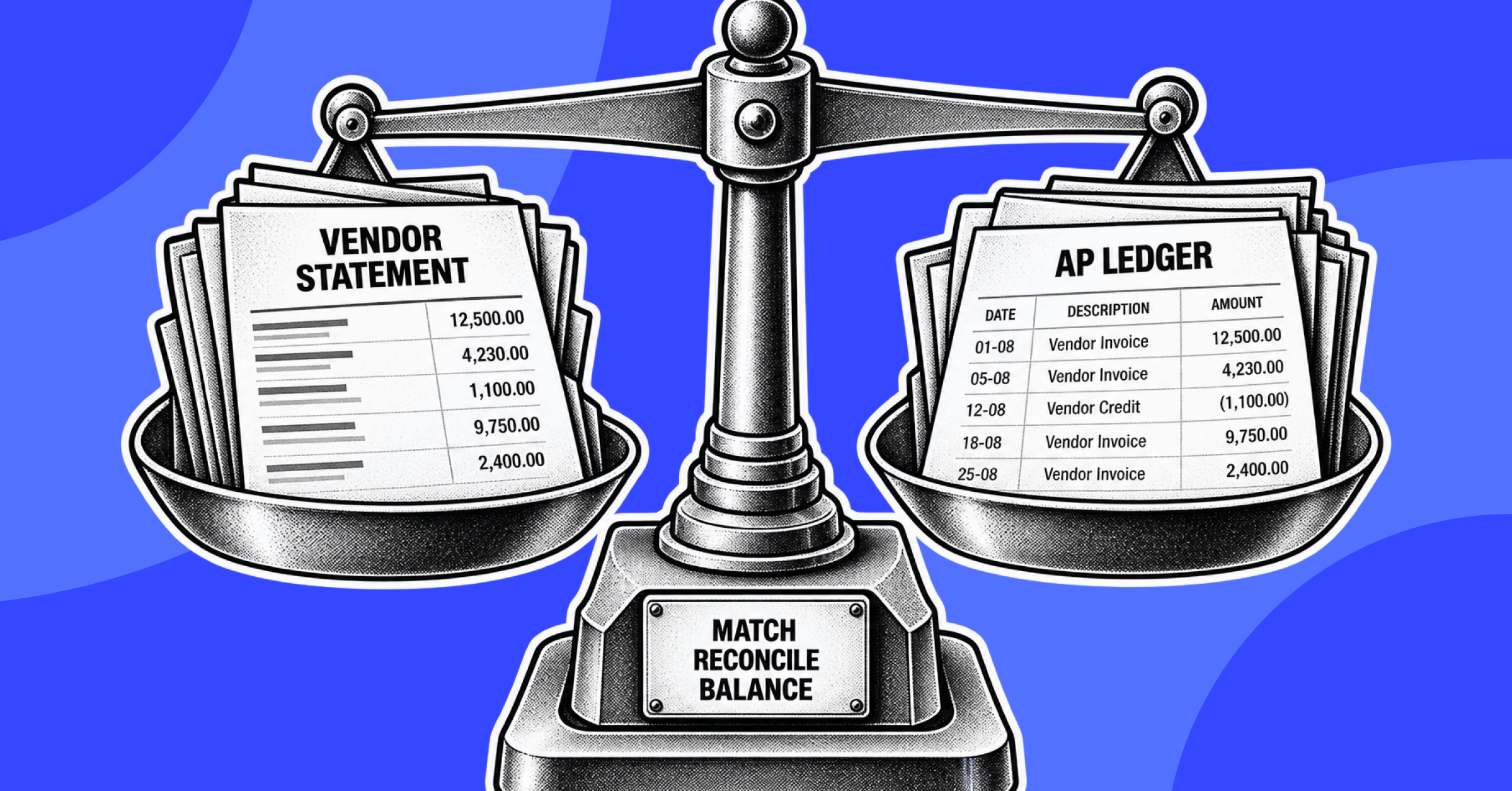
Vendor reconciliation is the process of comparing a supplier's account statement against your company's internal accounts payable records to confirm that invoices, credits, payments, and outstanding balances agree. The goal is straightforward: the balance a vendor believes you owe should match the balance your books show. In practice, the vendor reconciliation process is one of the most operationally heavy tasks inside accounts payable, because it depends on data from at least three sources (purchase orders, invoices, and payment records) staying in sync with a fourth source you don't control: the vendor's own ledger.
At low transaction volume, a single AP analyst can reconcile a handful of vendor statements manually each month without much friction. The breakdown happens at scale. As vendor count, invoice volume, and multi-entity complexity grow, three things happen simultaneously: statement formats become inconsistent across vendors, matching invoices, POs, and payments against vendor statements becomes a manual, spreadsheet-driven exercise, and discrepancies that would have been caught in week one instead age for months. An account reconciliation template can bring some short-term structure, but templates alone don't solve the volume problem, they just organize it.
Signs Your Vendor Reconciliation Process Needs Improvement
Most finance teams don't decide to overhaul vendor reconciliation proactively, they respond to symptoms. The following signs typically indicate the current process has outgrown its controls:
- Aging discrepancies: Open items on vendor statements that have sat unresolved for more than one or two close cycles, often because no one owns tracking them to closure.
- Missed early-payment discounts: Discount windows (2/10 net 30, for example) expiring because invoice matching and approval take too long relative to the discount terms.
- Recurring vendor disputes: The same vendors raising the same categories of dispute (short payments, missing credits, pricing mismatches) quarter after quarter, indicating a root-cause issue rather than a one-off error.
- Manual matching backlog: A growing queue of unmatched invoices, POs, or payments that AP staff are working through reactively instead of on a fixed cadence.
- Statement requests going unanswered internally: Vendor statements arriving but sitting unreviewed because no standardized intake process exists.
- Inconsistent reconciliation ownership: Different team members reconciling the same vendor differently month to month, with no documented method to follow.
Step-by-Step Process to Improve Vendor Reconciliation
Improving vendor reconciliation is less about a single fix and more about tightening every stage of the workflow, from how statements arrive to how the reconciliation is finally closed. The six steps below form a repeatable accounts payable reconciliation process that scales beyond a handful of vendors.
Standardize Vendor Statement Collection and Documentation
Vendor statement reconciliation starts with getting statements in a consistent, predictable format and on a consistent schedule. Set a standing request cadence (monthly is typical for high-volume vendors) and specify the format you need: opening balance, all invoices and credits issued during the period, all payments applied, and the closing balance. Where vendors provide statements in inconsistent layouts, normalize them into a single internal template before matching begins. This is also the stage to document supporting evidence, including PO numbers, invoice copies, and payment confirmations, so that when a discrepancy surfaces later, the backup is already attached rather than chased down after the fact. A documented account reconciliation template works well here to keep the intake format consistent across every vendor and every reconciler.
Match Invoices, POs, and Payments Against Vendor Statements
With a normalized vendor statement in hand, match each line item against your internal AP ledger: the purchase order that authorized the spend, the invoice that billed it, and the payment record that settled it. This three-way match is the core mechanic of accounts payable reconciliation steps generally, and it's where most discrepancies first surface. Line items that match cleanly (same amount, same reference number, same period) can be closed out immediately. Everything that doesn't match cleanly, whether it's an amount difference, a missing reference, or a timing gap, gets carried into the next step rather than guessed at or ignored.
Categorize and Investigate Discrepancies
Rather than investigating discrepancies one at a time in the order they appear, group them by type first. Categorizing before investigating matters because the fix for a duplicate invoice is different from the fix for a timing difference, and batching similar discrepancies lets one person resolve several related items at once instead of context-switching. At this stage, pull the specific supporting documentation for each flagged item: the original invoice, the PO, proof of payment, or the credit memo, so the investigation has a clear paper trail from the start.
Resolve Discrepancies and Communicate With Vendors
Once a discrepancy is categorized and documented, resolution usually requires two things: an internal correction (adjusting a ledger entry, applying a missed credit) and, in many cases, direct communication with the vendor to confirm the correction or dispute a charge. Keep this communication in writing and reference the specific invoice, PO, or credit memo number so there's no ambiguity about which item is being discussed. Vendor reconciliation disputes that drag on usually do so because the internal team and the vendor are working from different documentation; sharing the same backup on both sides shortens the resolution cycle considerably.
Update Records and Close Out the Reconciliation
After a discrepancy is resolved, update the internal ledger to reflect the agreed outcome and mark the item closed with a reference to how it was resolved. This step is frequently skipped under time pressure, with teams moving on once a dispute is verbally settled but before the books are actually corrected, which recreates the same discrepancy at the next reconciliation cycle. Closing out fully means the vendor statement balance and the internal ledger balance agree, and every adjustment made to get there is documented and traceable.
Set a Consistent Reconciliation Cadence
The single biggest improvement most teams can make is simply doing vendor reconciliation on a fixed, non-negotiable schedule rather than reactively, when a vendor complains or a payment is disputed. Monthly reconciliation for high-volume or high-risk vendors, with a lighter-touch quarterly check for low-volume vendors, keeps discrepancies small and recent rather than allowing them to compound across several periods. A consistent cadence is also what makes every other step in this process sustainable, because statement collection, matching, and investigation all get easier when they happen on a predictable rhythm instead of in a end-of-quarter scramble.
Common Vendor Reconciliation Discrepancies and How to Handle Them
Nearly every vendor reconciliation discrepancy falls into one of five categories. Recognizing the category quickly is what allows for a fast, standardized resolution instead of a fresh investigation each time.
- Duplicate invoices: The same invoice submitted twice, sometimes under a slightly different invoice number or date. Resolve by matching on PO number and amount together, not invoice number alone, and flag the vendor's billing process if duplicates recur.
- Timing differences: A payment or invoice recorded in one period by the vendor and a different period internally, most often near month-end. These typically self-resolve at the next cycle but should still be logged, not ignored, in case the pattern points to a cutoff problem.
- Missing credits or rebates: Credit memos or volume rebates the vendor issued but that never made it into the internal ledger. These are often the highest-dollar-value discrepancy category and the easiest to miss because they reduce what you owe rather than increase it.
- Pricing variances: The invoiced price doesn't match the price on the PO or the negotiated contract rate. Resolve by confirming the current contract or price list and short-paying or disputing the difference with documentation attached.
- Unapplied payments: A payment sent and cleared by the bank but not yet applied against the correct invoice on the vendor's side, or vice versa. These usually require direct vendor confirmation of the remittance details to close.
Building an Exception Management Workflow for Vendor Reconciliation
A vendor reconciliation exception management workflow is what separates a repeatable control from a manual cleanup exercise. Four components make the workflow durable:
- Assignment: Every open discrepancy needs a named owner the moment it's identified, not after it's aged for weeks unassigned.
- Aging thresholds: Set explicit thresholds (for example, 15, 30, and 60 days) after which an unresolved exception automatically triggers a review, rather than sitting indefinitely in someone's queue.
- Escalation: Define who an exception escalates to when it crosses a threshold, typically a supervisor or controller, so aged items get management attention before they become disputes.
- Audit trail: Every exception should retain a record of when it was identified, who investigated it, what evidence was reviewed, and how it was resolved, both for internal control purposes and for external audit support.
This is also where policy becomes enforceable rather than aspirational. Bluecopa's Samyx Build applies policy-as-code controls, approval thresholds, and segregation-of-duties rules directly to the reconciliation workflow, so aging and escalation rules are enforced automatically rather than depending on someone remembering to check a spreadsheet.
Vendor Reconciliation Best Practices for Accuracy and Control
- Reconcile against source documents (PO, invoice, payment confirmation) rather than relying on the vendor's summary balance alone.
- Segregate reconciliation duties from payment approval so the person investigating a discrepancy isn't also the one who can approve its resolution.
- Standardize the statement request template across all vendors to reduce formatting variance before matching even starts.
- Maintain a running log of recurring discrepancy types by vendor, so patterns (a specific vendor's duplicate billing, for instance) are visible over time, not just per cycle.
- Require documented sign-off on every resolved exception, not just a verbal confirmation from AP or the vendor.
- Review high-dollar and high-volume vendors more frequently than low-activity ones, rather than applying the same cadence to every vendor uniformly.
Metrics to Track When Improving Vendor Reconciliation
Improvement is only measurable if it's tracked consistently across cycles. The following metrics give finance leaders a clear read on whether the vendor reconciliation process is actually getting faster and more accurate:
- Cycle time: The total time from statement receipt to reconciliation close, tracked per vendor and in aggregate.
- Percentage auto-matched: The share of invoice, PO, and payment lines that match without manual intervention, a direct indicator of how much manual effort the process still requires.
- Exception aging and backlog: The number of open exceptions and how long, on average, they've been open, segmented by discrepancy category.
- Dispute resolution time: The average time from flagging a discrepancy with a vendor to final resolution and sign-off, a good proxy for how well internal and vendor communication is working.
How Automation and AI Improve Vendor Reconciliation
Once the manual process above is standardized, automation is what makes it hold at scale. Bluecopa is an AI-native finance operations platform (powered by SamyxAI) that unifies Order-to-Cash, Procure-to-Pay, and Record-to-Report on a single data layer, which matters for vendor reconciliation specifically because invoice, PO, and payment data typically live in separate systems that rarely reconcile cleanly on their own. Samyx Recon applies hybrid deterministic and AI-based matching to process over 5 million records per hour at 97 to 99 percent match accuracy, which directly addresses the manual matching backlog described earlier in this article: instead of an analyst manually pairing invoices to POs to payments, the majority of clean matches are handled automatically, leaving the team to focus on genuine exceptions rather than routine matching.
Importantly, this is AI-assisted automation with human-in-the-loop exception review, not a fully autonomous process. Discrepancies that don't match cleanly (duplicate invoices, pricing variances, missing credits) are still routed to a human reviewer with the relevant documentation attached, consistent with the exception management workflow described above. Bluecopa customer HackerEarth saw a 60 percent reduction in reconciliation errors after implementing Bluecopa's reconciliation engine, an outcome tied directly to reducing the manual matching errors that drive most vendor reconciliation discrepancies in the first place. For AP teams specifically, the broader accounts payable automation software capabilities extend this same matching engine to invoice processing and payment scheduling, so vendor reconciliation isn't solved in isolation from the rest of the AP workflow. Teams that have already automated bank-side matching may also find it useful to see how to automate bank reconciliation, since the underlying matching logic follows a similar pattern.
Frequently Asked Questions
1. What is the difference between vendor reconciliation and accounts payable reconciliation?
Vendor reconciliation specifically compares a supplier's statement against internal AP records for that one vendor, while accounts payable reconciliation is the broader control that ties the total AP subledger to the general ledger. Vendor reconciliation is one of the inputs that supports a clean accounts payable reconciliation at close.
2. How often should vendor reconciliation be performed?
Monthly is standard for high-volume or high-risk vendors, since it keeps discrepancies small and easy to trace. Lower-volume vendors can often be reconciled quarterly without materially increasing risk, as long as the cadence is consistent rather than ad hoc.
3. What causes most vendor reconciliation discrepancies?
Duplicate invoices, timing differences near period end, missing credits or rebates, pricing variances against contracted rates, and unapplied payments account for the large majority of discrepancies most AP teams encounter.
4. Can vendor reconciliation be automated?
Yes. AI-assisted matching engines can automatically match the majority of invoice, PO, and payment line items, leaving only genuine exceptions for manual review, which is typically the largest source of time savings in the process.
5. What should be included in a vendor statement reconciliation template?
At minimum, the opening balance, every invoice and credit issued during the period, every payment applied, the closing balance, and references (PO numbers, invoice numbers, payment confirmations) that tie each line back to source documentation.
6. Who should own vendor reconciliation within a finance team?
Typically an AP analyst performs the reconciliation and initial investigation, with a supervisor or controller owning escalation for aged or high-dollar exceptions, keeping reconciliation and resolution approval appropriately segregated.

Book a demo
See Bluecopa run on your own close
70%
Faster month-end close
95%
Reduction in manual effort
30 min · your ERP · no slide deck
Benchmark
How your close compares
Spreadsheet-run close
11 days
Point tools
7 days
Bluecopa
4 days
Calculate your close time
30 min · your ERP · no slide deck